
You open your social media account and scroll through your feed. Posts that look different capture your attention. People on social media use different strategies to get noticed. They can use different text styles or present information in a new way that sparks curiosity among users.
If you are not doing it differently, chances are that your post won’t be able to capture others’ attention. Using unique text styles is one of the most effective ways to turn heads. In this blog, we’ll discuss the simple ways to add unique text to social media posts.
Why Text Style Matters on Social Media
Text style plays an important role. It changes how your content feels. A simple sentence can look fun, bold, or even artistic just by changing how it appears.
It also helps in building your brand identity. When your posts follow a certain style, people start to recognize them. And with time, this builds familiarity.
Another reason is readability. Clean and structured text is easier to follow. It keeps the reader engaged and focused on your content.
Simple Ways to Create Unique Text Styles
The following are some of the easy ways to add unique text styles to your social media posts.
Use Line Breaks to Improve Flow
Social media users scroll quickly through content. They usually skip a large block of text. So break your content into concise lines. Keep each sentence short. This makes reading easier. It also adds rhythm to your content.
For example, instead of writing one long caption, split it into 3 or 4 lines. Each line should carry one idea, as shown in the image below.
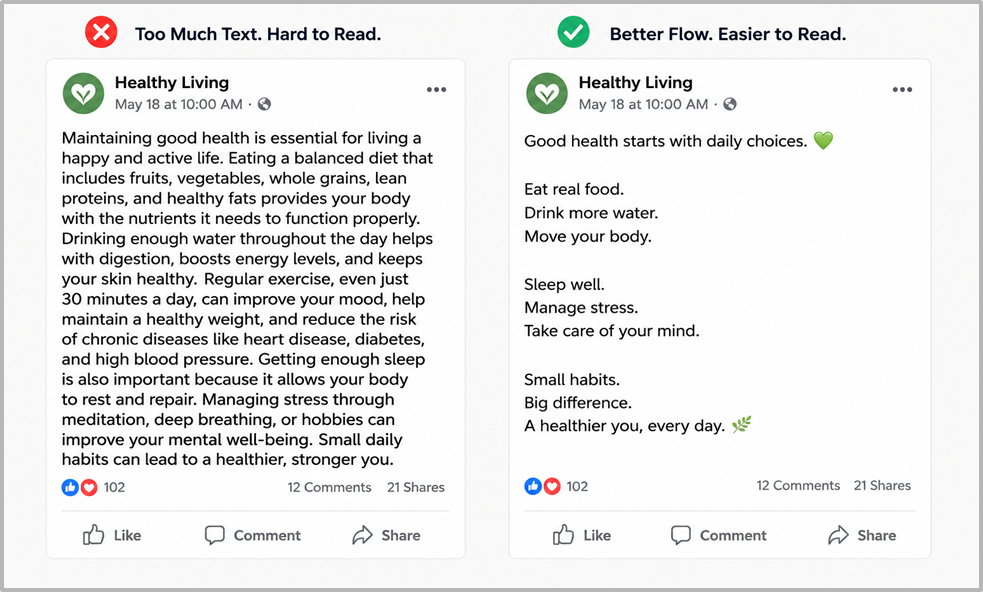
From the image, you can see that the bulky text is not so welcoming to the eyes. Users often skip this kind of content. Whereas on the right side, the text is properly structured and written using short sentences with line breaks. It feels more engaging to read.
Change Text Typeface for More Attention
To create a difference, you can try different types of fonts in your social media captions. They can make your posts look a bit different from your competitors.
You can keep the main message simple and write one main word in a different typeface. This draws attention without making the text messy.
For example, “Grow your page with Smart Content that people enjoy reading.”
From the above example, you can see that the main word “Smart Content” is written in Italics. It draws more attention, and the users can quickly get what this post is about.
Use Symbols for Styling
Symbols can shape how your text looks on social media. You can add simple characters like dots, stars, or lines to separate ideas. This creates a clean structure, as shown in the image below:
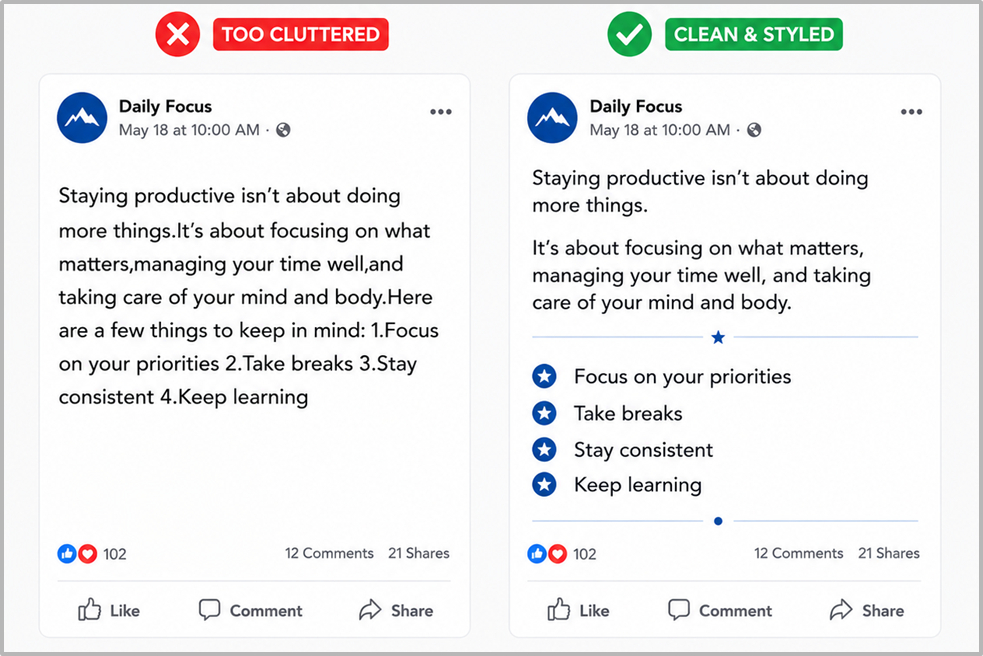
From the image above, you can see that the text looks better with correct spacing and symbols. Whereas on the left, the text looks like a plain block and may seem unappealing to some users.
Leaving a blank line between sections gives the reader a pause. It improves clarity and keeps the layout neat. This helps improve engagement on your posts.
Highlight Key Words
To make your post more effective, you can highlight the main words. This naturally draws the attention of the users towards the main point and makes your idea more impactful.
Pick the important words. Use bold formatting to make them stand out, as shown in the image below.
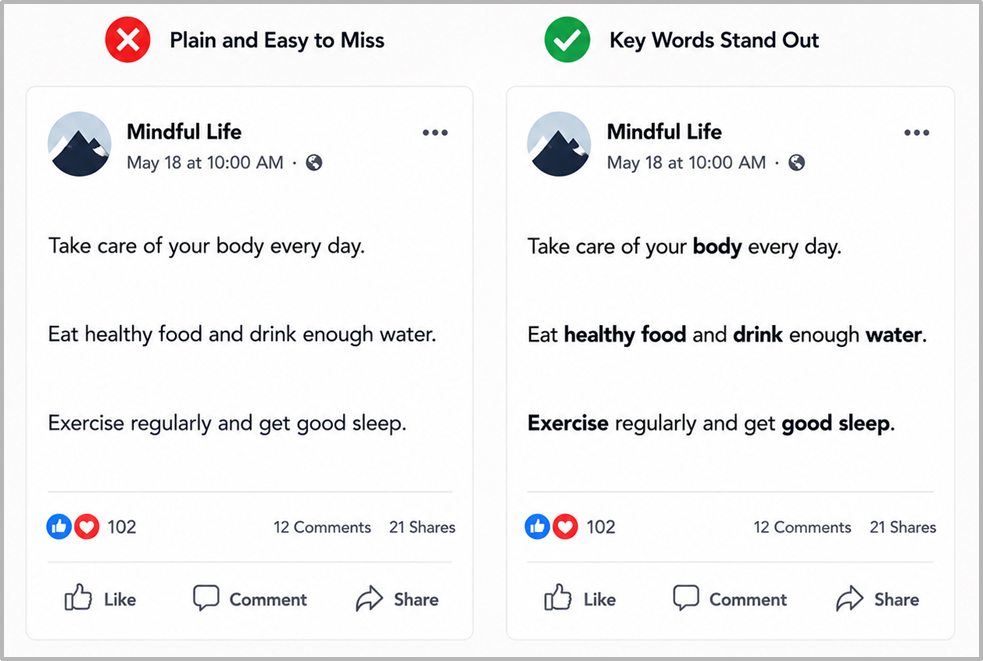
From the image above, you can see that the main words are in bold. They guide the reader’s eyes. It shows them where to look first.
Try a Font Generator for Creative Styles
The posts that look visually different from others get the most engagement. Regular spacing and layout alone may not work. The font style itself can make the content stand out because it looks new, creative, and uncommon.
To get unique font ideas, you can use weird font generator. It will simply convert your plain text into stylish versions. This tool utilizes special Unicode characters to perform this conversion.
You can type or paste your text into the tool’s input field. It then presents your input text in numerous unique versions. You can select any one of them by just clicking on the “Copy Font” button, as shown in the screenshot below.
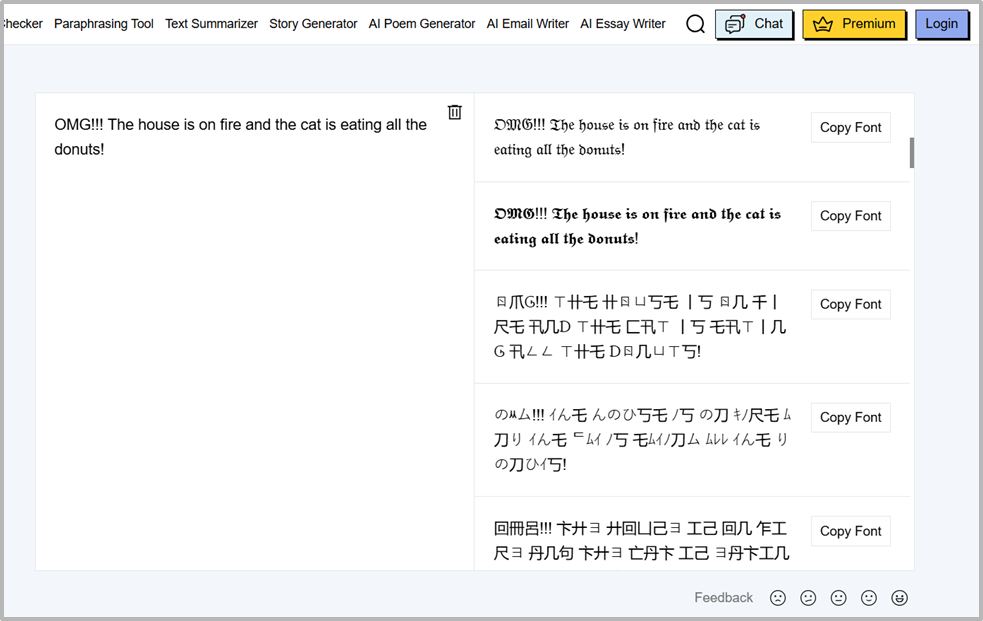
You can use this text to create stylish captions, usernames, or short highlights. It adds a visual twist without changing the actual words. However, you have to make sure that the text stays readable. If the users find it difficult to understand, the purpose of styling the text gets lost.
Important Considerations
The following are some important considerations when trying different text styles for social media.
Keep the Text Readable Across Devices
Users may view your posts from different devices like phones, tablets, and desktops. A style that looks good on one screen may not look the same on another.
So always test your text. Make sure it is easy to read on smaller screens. And don’t use styles that break spacing or alignment.
Experiment and Become Consistent With Your Style
You can’t develop a perfect text style from day one. Try different approaches. Test different layouts, fonts, and spacing. See what gets a better response. Once you know what works, keep it. After that, become consistent with that style. Don’t just keep on changing fonts and text styles.
Brands that stay consistent with their style get better recognition among users. If you keep changing styles in every post, it becomes hard to build a pattern. So, you should follow a similar structure so that your posts feel connected. And with time, this becomes your brand’s identity.
Final Thoughts
Social media posts often look the same, having similar content and styles. To make your posts prominent, you can use line breaks and change the typeface of the text.
You can also use a font generator tool to get different fonts to get more attention. Symbols and line breaks allow the fast scrollers to get your ideas better.
However, don’t just keep changing fonts in every social media post. We’ve mentioned some of the most effective ways to create unique text styles for social media. Try a few in your next post and see how they help improve the user engagement.